Short answer: Klaviyo's Shopify integration already syncs checkouts and orders server-side, but Viewed Product and Added to Cart are tracked in the browser and only count for shoppers Klaviyo recognizes. To send those server-side with TrackBee's Klaviyo server-side tracking, connect Klaviyo in TrackBee, clone your abandonment flows, switch their trigger to TrackBee's event and add profile filters to both flows.
Klaviyo is the preferred email platform partner for Shopify Plus, and many Shopify stores run their email and SMS on it. Its abandonment flows (browse abandonment, cart abandonment and checkout abandonment) bring in a large share of email revenue. But there is a structural problem many brands never notice: a large share of abandonment events never reach Klaviyo.
This guide explains how Klaviyo's tracking works, why it misses so many abandonment events, what server-side tracking changes, how to set it up, and what five Shopify stores recovered with it.
Already know the background? Skip to the 4 setup steps.
How Klaviyo Tracking Works
Klaviyo relies on a JavaScript snippet that runs in the visitor's browser. When a shopper views a product or adds an item to their cart, Klaviyo's snippet (or, for Added to Cart, a Shopify pixel) captures that event in the browser and sends it to Klaviyo's servers. If Klaviyo can match the event to a known profile, the event becomes a flow trigger. If the match is successful and the visitor qualifies for an abandonment flow, the email sequence begins.
This is client-side tracking. It depends on two things happening simultaneously:
-
The Klaviyo script must execute successfully in the shopper's browser, without being blocked, failing to load or getting restricted by privacy features.
-
Klaviyo must identify the visitor, which means an active cookie has to link that browser session to a known Klaviyo profile.
Klaviyo sets that cookie to last 2 years, but browsers cut it short, as Klaviyo's own cookie documentation explains. Safari's ITP deletes it after 7 days of Safari use without the shopper interacting with your store, and after just 24 hours when the shopper arrives from a known tracker through a link with query parameters. Brave caps it at 7 days. A shopper who switches browsers starts without the cookie at all.
A shopper who visits your store on Monday, returns on Thursday, adds a product to their cart and abandons it is invisible to Klaviyo if their cookie from Monday no longer exists. Without a profile match, no flow starts.
Which Klaviyo Events Come From the Browser
Not every Klaviyo event depends on that cookie. As Klaviyo's Shopify data reference shows, the integration gets two kinds of events: onsite events tracked in the shopper's browser, by Klaviyo's script or a Shopify pixel, and events that Shopify syncs to Klaviyo itself. Two of the three abandonment flows run on the first kind.
| Klaviyo event | Where it comes from on Shopify | Flow it triggers |
|---|---|---|
| Viewed Product | Klaviyo's browser script (app embed, on by default) | Browse abandonment |
| Added to Cart | A Shopify pixel in the browser, once "Track behavioral events" is switched on in Klaviyo | Abandoned cart |
| Started Checkout (Checkout Started) | Synced from Shopify as soon as the shopper enters an email or phone number at checkout | Abandoned checkout |
| Placed Order | Synced from Shopify when the order is created | Post-purchase flows |
That puts the gap in the browser events. Browser pixels miss 30-60% of conversions, and Klaviyo's onsite events have one more hurdle. They only count for shoppers Klaviyo has identified, for example through a Klaviyo or Shopify form, a click from a Klaviyo email or SMS, the checkout or a customer account login. Started Checkout holds up better because Shopify sends it, but it only fires once the shopper has typed an email or phone number.
For how client-side and server-side tracking differ beyond Klaviyo, see our complete guide to server-side tracking for Shopify.
Why Klaviyo Misses So Many Abandonment Events
Three mechanisms create the gap between actual abandonment events and the ones Klaviyo captures. Each one removes part of your events before Klaviyo can act on them.
1. Ad blockers and browser privacy features
Ad blockers block tracking scripts too, Klaviyo's snippet included. When an ad blocker prevents the script from loading, no client-side events are generated. The visitor browses products, adds items to their cart, abandons, and leaves. Klaviyo receives nothing, so no flow starts.
Browser privacy features compound this. Firefox Enhanced Tracking Protection, Brave's Shields and Safari's ITP all restrict tracking in their own way: Brave can block requests to known trackers, Firefox clears storage for known trackers, and Safari shortens how long script-set cookies last. Together, that means part of your visitors browse in conditions where Klaviyo's tracking can't work.
2. Cookie expiry and the identification gap
Even when Klaviyo's script loads and executes successfully, identification depends on cookies.
Consider a typical shopping journey: a customer sees your Instagram ad on her phone during lunch, taps through, browses two products, and closes the browser. Three days later, she opens Safari on the same phone, types your store URL directly, adds a product to her cart, and gets distracted before completing checkout.
By the time she returns, she's in a different browser, and Klaviyo's cookie from the first visit isn't there. The second session, the one with the actual cart abandonment, is anonymous. The Added to Cart event either isn't sent or can't be matched to her profile, so the abandonment flow doesn't trigger.
This is a common cause of missing triggers, and a hard one to spot, because Klaviyo's flows appear to work normally for the events that do make it through.
3. Cross-device and cross-browser journeys
Many shoppers switch browsers or devices before they buy. They start on their phone (often in an in-app browser from Instagram or TikTok), continue on a laptop, and sometimes finish on a tablet. Each browser context has its own cookies. Klaviyo sees these as separate, unconnected visitors.
This matters because cart context from one session doesn't carry over. A visitor who added to cart on mobile and later visits your store on desktop is, from Klaviyo's perspective, a completely new anonymous visitor. No abandonment trigger fires because Klaviyo has no record of the mobile cart activity.
For Shopify stores where most traffic comes from mobile, often through social media ads that open in-app browsers, this cross-device gap affects a large share of shopping journeys.
For a deeper analysis of each mechanism, see why Klaviyo misses so many cart abandoners.
The Invisible Problem: You Can't See What Didn't Fire
Klaviyo can't show you what it never received.
When you review your abandoned cart flow in Klaviyo, you see metrics for the events that successfully fired and matched to a profile. Open rate, click rate, conversion rate and revenue per recipient are all calculated against the flow entries Klaviyo received. The flow might look healthy, with a 45% open rate, an 8% click rate and strong revenue attribution.
But those metrics tell you nothing about the events that never arrived.
There is no "missed events" counter in Klaviyo. There is no alert saying "You had 1,200 cart abandoners this week, but we only received events for 400 of them." Klaviyo reports on what it received. The other 800 abandoners don't show up in any report, dashboard or flow metric.
Brands invest time in subject lines, send timing and discount incentives, and all of that only optimizes for the abandoners Klaviyo already captures. The ones whose events never fire stay completely out of reach.
The only way to see the gap is to compare Klaviyo's flow entries against actual store events. When stores add server-side events, their flow triggers rise 44% to 306% (see the cases below), which shows how much was missing.
What Server-Side Tracking Changes
Server-side tracking changes how abandonment events reach Klaviyo. Events are captured at the server level and sent directly, bypassing ad blockers, browser restrictions, and cookie limitations. Two parts of TrackBee make that work for Klaviyo.
Persistent shopper profiles
Client-side tracking identifies visitors through a browser cookie, which is gone as soon as the shopper switches browsers and which Safari and Brave can delete after just 7 days. Server-side tracking with persistent shopper profiles keeps that identification for 7, 14 or even 100+ days, across browsers and devices.
When a visitor first lands on your store, TrackBee creates a persistent profile that links to that visitor across sessions, browsers, and devices. When the same shopper returns three days later on a different browser and adds something to their cart, TrackBee keeps that cart event in their profile. As soon as they can be matched, for example through a sign-up, a login or their email at checkout, the event reaches Klaviyo tied to the right profile and the abandonment flow can fire.
This is the direct solution to the cookie gap. Instead of losing identification when a cookie disappears, the shopper stays identifiable for weeks or months.
To understand how session enrichment and shopper profiles work in detail, see session enrichment explained.
Server-side event capture
Every event (PageView, ProductView, AddToCart, BeginCheckout, Purchase) is sent to Klaviyo server-side, so it doesn't depend on Klaviyo's script running in the visitor's browser. Ad blockers can't prevent it, and in-app browsers from Instagram and TikTok don't restrict it.
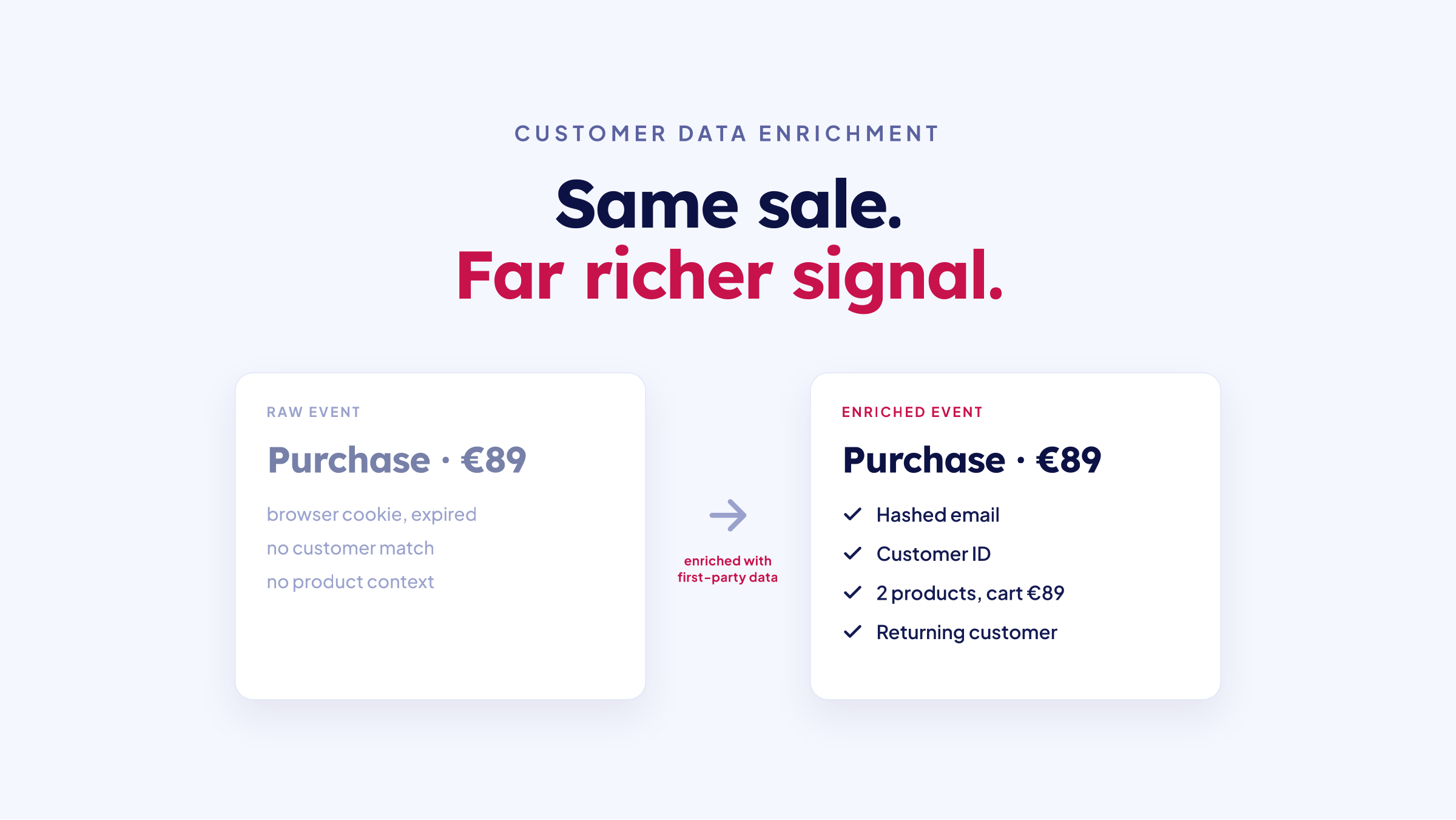
TrackBee enriches every event with first-party data, such as the products viewed, the cart contents, the order value and the shopper's identity, before it goes to Klaviyo. This enrichment means Klaviyo receives more identifiable events with more data points per event than browser-based tracking can deliver.
Browse Abandonment: What Changes with Server-Side Data
Browse abandonment flows target visitors who viewed products but didn't add to cart. They are typically the highest-volume abandonment flow and the most affected by the identification gap.
With client-side tracking only, Klaviyo's browse abandonment flow triggers when a known visitor views a product and leaves without adding to cart. The problem is that most product viewers are anonymous. They arrived from an ad, viewed products in an in-app browser, and left. Klaviyo's script either didn't load in that browser context or couldn't match the visitor to a profile, so nothing triggers.
With server-side tracking and persistent profiles, the product view event fires server-side. If the visitor was identified before (through a past purchase, email signup or Klaviyo form submission), the event matches their profile and the browse abandonment flow triggers.
The result is more qualified flow entries. Those are new recipients, not extra emails to the same people.
For specific tactics on improving browse abandonment performance, see how to improve your Klaviyo browse abandonment flow and recover more revenue.
Cart Abandonment: What Changes with Server-Side Data
Cart abandonment flows are among the highest-revenue abandonment flows, and cart abandonment is one of the most costly problems in ecommerce. They also gain a lot from server-side tracking, because every missed cart trigger is a visitor with clear purchase intent who never got a recovery email.
With client-side tracking, the trigger fires when a known Klaviyo profile adds to cart and doesn't purchase within the flow's time window. Ad blockers, cookie expiry and cross-device journeys keep a large share of these events from reaching Klaviyo. In the five stores below, TrackBee tracked 77% to 445% more events than Klaviyo received without it.
With server-side tracking, the cart event no longer depends on Klaviyo's script or cookie. Persistent profiles keep it tied to the shopper across sessions and devices, so once she's identified, the abandonment flow can still fire for a cart she left three days ago.
What stores typically see after enabling server-side events for Klaviyo:
-
44% to 306% more abandonment flow triggers in the cases below, from reaching abandoners who were previously invisible rather than re-sending to existing recipients
-
Extra revenue from flows that were already built and optimized
For detailed strategies on cart abandonment flow optimization, see how to improve your Klaviyo abandoned cart flow.
How to Set Up Server-Side Tracking with Klaviyo
You run TrackBee flows next to your existing Klaviyo flows. Your current flows keep running and only get a few extra profile filters in step 3. The TrackBee flows pick up the shoppers they miss. TrackBee supports three flows this way: browse abandonment, abandoned cart and abandoned checkout.
Step 1: Connect Klaviyo in TrackBee
In TrackBee, open your store overview, pick the store and click Connect next to Klaviyo. Log in to Klaviyo and accept the pre-selected permissions. Back in TrackBee, click refresh at Klaviyo to finish the connection. From then on, TrackBee sends its own server-side versions of the browse, cart and checkout events to your Klaviyo account.
Step 2: Create parallel TrackBee flows in Klaviyo
In Klaviyo, open the flow you want to run on TrackBee and click Clone. Add "TrackBee" to the name so you can tell the two apart. Then change the trigger to the TrackBee version of the same event (for an abandoned cart flow, TrackBee's Added to Cart). That gives you two parallel flows:
-
Native Klaviyo flows: triggered by Klaviyo's own events (keep these running; they only get the profile filters from step 3)
-
TrackBee flows: triggered by server-side events from TrackBee (these capture the visitors Klaviyo misses)
This parallel structure means you can compare performance side by side without rebuilding your existing flows.
Step 3: Add profile filters to prevent duplicate sends
This step keeps shoppers from getting two emails. You need profile filters so a visitor captured by both the native flow and the TrackBee flow gets one email sequence, not two.
Add the filters to both flows. In the TrackBee flow, add profile filters so it only triggers when the original flow didn't, by excluding anyone who received an email (and an SMS, if you send those) from the original flow. Then add the same filters to the original flow, this time excluding the TrackBee flow. Finally, make the first wait in the TrackBee flow 30 minutes longer than in the original, so a 4-hour wait becomes 4 hours and 30 minutes. That way the two flows never send at the same moment.
Step 4: Verify event delivery
Turn the TrackBee flow on and watch both flows. Your TrackBee flow should get entries from visitors who never show up in your original flow. That's the audience Klaviyo's browser tracking was missing.
Repeat steps 2 and 3 for each flow you want on TrackBee. The whole setup takes minutes and needs no developer. TrackBee handles the server-side event capture, enrichment and delivery, and Klaviyo handles the flow logic and sending. Want screenshots of every filter? See the Klaviyo setup article in our help center.
Real Results: 5 Brands Recovering Abandoned Revenue
The numbers below are from real Shopify stores that added server-side abandonment events to their Klaviyo setup. Each result reflects incremental revenue from flows triggered by events that Klaviyo's native tracking missed.

Zwarte Roes: +194% abandoned cart revenue in 30 days
Zwarte Roes, a specialty coffee roaster on Shopify, ran two abandoned cart flows side by side for 30 days, one on Klaviyo's native tracking and one on TrackBee. The TrackBee flow brought in 194% more abandoned cart revenue than Klaviyo's native flow alone, with 445% more tracked cart events and 306% more flow triggers.
Don't Waste Culture: +53% Klaviyo abandonment revenue
Don't Waste Culture, a fast-growing Dutch streetwear label, moved its server-side tracking to TrackBee and saw 53% more Klaviyo abandonment flow revenue in its first weeks. Tracked events rose 137.8% and triggered flows 107.8%, without any changes to its flows or creative.
HappyFlops: $89,000 in Klaviyo abandonment revenue in 6 weeks
HappyFlops, a fast-growing footwear brand on Shopify, made over $89,000 in extra Klaviyo abandonment revenue within six weeks of adding server-side events. Tracked events went up 349% and triggered flows 252%. Nobody wrote new emails. The standard abandonment flows simply started firing on the events Klaviyo had been missing.
Sassy Saints: $15,000 extra browse abandonment revenue in 30 days
Sassy Saints, a UK beauty brand that sells at-home salon kits, recovered about $15,000 in extra browse abandonment revenue in 30 days, a 29% lift on the same flow. TrackBee tracked 77% more product view events, and the flow triggered 44% more often. Browse abandonment is typically the flow most affected by the identification gap, because product viewers are disproportionately anonymous visitors arriving from ads.
Marielle Stokkelaar: $26K extra Klaviyo revenue in 30 days
Marielle Stokkelaar, a high-end fashion store on Shopify, made around $26,564 (about EUR 24,596) in extra Klaviyo revenue within 30 days. TrackBee captured 85% more abandoned cart events than Klaviyo alone, and the store got more than 10x its subscription cost back.
The pattern across all five
In every case, the extra revenue came from the same change: reaching abandoners who were previously invisible to Klaviyo. Where stores measured a percentage, the lift ran from 29% to 194% more flow revenue. That range shows how large the gap is between what Klaviyo captures natively and what actually happens on a Shopify store.
Impact on Klaviyo Revenue Attribution
When server-side events expand your flow audience, Klaviyo's revenue attribution changes in four ways.
Total flow revenue increases
More flow entries mean more emails sent, which means more conversions attributed to flows. How much more depends on your traffic, your ad spend and how mature your flows already are. Stores that start with only Klaviyo's built-in tracking typically see 25 to 40% more Klaviyo revenue, and stores that already run another tracking tool typically 15 to 30% on top. Put your own numbers into the Klaviyo revenue calculator to see the range for your store.
The extra recipients still buy
The additional recipients are genuine abandoners with demonstrated purchase intent. They viewed products and added to cart, and Klaviyo's native tracking simply didn't capture them. Revenue per recipient can come out a little lower than in your existing flow. In the cases above, flow revenue rose 29% to 194% on 44% to 306% more triggers. Total flow revenue still goes up, because the flow reaches far more people.
Klaviyo's share of total revenue grows
As flow triggers increase, Klaviyo captures a larger share of your store's total revenue attribution. Other channels keep their sales. The extra share comes from recovery emails that couldn't go out before.
Reporting becomes more accurate
With server-side events filling the gap, the difference between actual store activity and what Klaviyo reports narrows. You see a more complete picture of abandonment behavior, flow performance, and email-driven revenue.
Want to know what a healthy Klaviyo share looks like? See our Klaviyo revenue benchmark guide for what percentage of revenue Klaviyo should drive at each stage.
Frequently Asked Questions
Does Klaviyo support server-side tracking?
Partly. Klaviyo's Shopify integration syncs Started Checkout, Placed Order and fulfillment events straight from Shopify, and Klaviyo's API accepts events from any server. Viewed Product and Added to Cart are tracked in the browser, though, by Klaviyo's script and a Shopify pixel, and only count for shoppers Klaviyo recognizes. TrackBee sends those events to Klaviyo server-side and enriches them with first-party data, so your browse, cart and checkout flows fire for more shoppers.
Does Klaviyo track anonymous visitors?
Within one browser, yes. Klaviyo's anonymous visitor activity backfill keeps onsite events in the browser and adds them to the profile once that visitor is identified in the same browser. Its First-party ID uses a server-set cookie to bring Klaviyo's cookie back after it expires. Both still depend on that one browser and on Klaviyo's script loading. TrackBee's anonymous visitor tracking runs server-side with persistent shopper profiles that link sessions across devices, so Klaviyo can trigger browse, cart and checkout flows for shoppers it hadn't recognized yet.
Does server-side tracking replace Klaviyo's native tracking?
No, it runs next to it. Your existing flows keep running, and the server-side events pick up what Klaviyo's native tracking misses. Profile filters on both flows make sure no visitor gets the same email twice.
Will this cause duplicate emails?
Not when it's set up correctly. Both flows get profile filters. The TrackBee flow skips anyone who already got an email from the original flow, and the original flow skips anyone in the TrackBee flow. The TrackBee flow also waits 30 minutes longer, so the two never send at the same moment.
Do I need to rebuild my Klaviyo flows?
No. You clone the flows you already have and switch the trigger to TrackBee's event, so the emails stay the same. Your original flows keep running and only get a few extra profile filters.
How does TrackBee identify visitors that Klaviyo can't?
TrackBee builds persistent shopper profiles that keep shoppers identified across sessions, browsers and devices for 7, 14 or 100+ days. Klaviyo depends on a browser cookie that's gone when the shopper switches browsers and that Safari and Brave can delete after just 7 days.
Is this compliant with privacy regulations?
TrackBee is built for it. It works with first-party data, hashes customer identifiers before they go to ad platforms, and supports Google Consent Mode V2. Whether your store is compliant also depends on your consent banner, so pick one that passes consent to both Shopify and Google, like Pandectes or Consentik.
Do I need a developer?
No. The entire setup can be done without development work. TrackBee is built for Shopify and designed for marketers, not engineers.
What to Do Next
If your Klaviyo abandonment flows are performing well on paper but you suspect there's more revenue to capture, the gap between what Klaviyo sees and what actually happens on your store is a likely reason.
Klaviyo server-side tracking with TrackBee closes that gap with persistent shopper profiles. Klaviyo keeps running your flows. TrackBee sends the events Klaviyo's browser tracking can't capture.
Start your free 30-day TrackBee trial, no credit card required. Connect your Klaviyo account in minutes, set up your TrackBee flows and see how many abandonment events have been missing.
There's a guarantee on it too. Set up one or more abandonment flows correctly with TrackBee, and if none of them makes at least 15% more revenue a month within 3 months, you get your money back (see the guarantee terms). Want a number for your store first? Try the Klaviyo revenue calculator.