How to Hide Sponsored Results on Google (and What It Means for Advertisers)

Since October 2025, users can hide Google's sponsored results with one click. Learn what this means for your campaigns and why data quality matters more.
October 23, 2026
Frank de Vos
Google's Hide Sponsored Results: What It Means
Latest
Google Ads

How to Hide Sponsored Results on Google (and What It Means for Advertisers)

Google's Hide Sponsored Results: What It Means

Short answer: Click Hide sponsored results, the button just below the last text ad at the top of Google. The text ads collapse and the organic results move up. It only lasts for that search, because Google has no setting to turn sponsored results off for good. If you run Google Ads, read on for what it changes.

How to Hide Sponsored Results on Google

  1. Search on Google as usual, on desktop or mobile.

  2. Find the text ads grouped under the Sponsored results label at the top of the results.

  3. Click Hide sponsored results, just below the last ad. The text ads collapse and the organic results move up.

Google announced the button on October 13, 2025. Text ads at the bottom of the results page get the same label and button. Hiding only lasts for that search, and a new search shows the ads again by default. Google has no setting to turn them off for good, though some ad blockers can hide them.

What Hide Sponsored Results Means for Google Advertisers

Google launched the update globally on October 13, 2025. Ads in search results are now grouped under a "Sponsored results" header, with a "Hide sponsored results" button at the bottom. Anyone can collapse the text ads with one click.

For Shopify brands running Google Shopping and search campaigns, this is a meaningful change to the visibility mechanics of paid search. Here's what happened, what it affects, and what to do about it.

The short version

You can't control who hides your ads. You can control the quality of the conversion data Google's Smart Bidding learns from. When fewer impressions reach shoppers, each one has to land with the right person, and that only happens when Google actually sees your conversions. TrackBee captures your Shopify purchases server-side and enriches them with first-party data, closing the Enhanced Conversions gap browser pixels leave behind (30-60% of conversions), so Smart Bidding bids on the full picture.

See how Enhanced Conversions closes the gap →

What the Update Actually Changed

Before the update: Google ads appeared throughout search results with small "Sponsored" labels on individual ads. The visual separation between paid and organic results was subtle, and many users may not have noticed it or been able to tell them apart.

After the update:

  • Up to four text ads are grouped under a single "Sponsored results" header at the top of the page, and Shopping ads get their own "Sponsored products" label

  • A "Hide sponsored results" button appears below the sponsored block

  • Clicking the button collapses the entire sponsored block, pushing organic results to the top

  • A sticky label remains visible so users can restore sponsored results

  • The change is live globally on desktop and mobile for both text and shopping ads

What this means structurally: The sponsored block is now a more visible, more explicitly labeled unit. Some users will dismiss it wholesale with a single click. Others may actually be more likely to engage with it because its contents are clearer.


Why Google Made This Change

Google stated the goal was "helping people navigate the top of the page more easily" and providing clearer distinction between organic and paid results, particularly on mobile, where the previous small "Sponsored" labels were easy to miss.

Google search results with text ads grouped under a Sponsored results label and the Hide sponsored results button below the last ad

Regulation may be part of it too. The enforcement of Consent Mode V2 across the EU moves in the same direction, toward more user control, and clearer labels give Google cover against "deceptive advertising" claims.

This change fits a pattern of Google giving users more explicit control over their search experience, at the cost of making paid placements more dismissible.


Impact on Shopify Campaigns

Click-through rate pressure for positions 3–4: When users opt to hide sponsored results, all ads in the block disappear, not just the lower positions. But in practice, users who are already skeptical of ads are more likely to click hide, and those users are less likely to have clicked ad positions 3–4 anyway. The top 1–2 positions remain the most valuable and are least affected in real terms.
3D Google logo next to the word ads

Ad position becomes more consequential: Top-of-block placement was always valuable. With the hide functionality, being in position 1 or 2 means appearing immediately above the hide button, rather than potentially below other ads. Position 3–4 becomes even less valuable than before.

Shopping ads face specific challenges: Shopping ads (product listing ads) now carry their own "Sponsored products" label. Google says the hide button collapses text ads. It hasn't said the button also hides the Shopping carousel. For product-specific searches, organic results (SEO-optimized product pages, Google Shopping organic) become relatively more prominent when users hide paid results.

Organic search benefits: For stores with strong SEO, hiding paid results elevates organic listings. This is a reason to invest in both paid and organic presence. Relying entirely on paid search leaves you exposed to any change in how paid results are displayed or perceived.


What You Can and Can't Control

What you can control:

A Shopify purchase that TrackBee sends to Meta, Google Ads, TikTok, Pinterest and Klaviyo
  • Ad position: Bidding strategy, Quality Score optimization, and Smart Bidding configuration affect where your ads appear in the sponsored block. Invest in top positions.

  • Data quality: Google's Smart Bidding algorithms (Target ROAS, Maximize Conversions) depend entirely on the quality of conversion data they receive. Complete, enriched server-side tracking data enables smarter bidding.

  • Ad relevance: Quality Score, which affects both cost-per-click and ad position, rewards ad relevance. Tightly matched keywords, ad copy, and landing pages improve Quality Score and position.

  • Organic presence: SEO-optimized product and collection pages benefit directly when users hide paid results.

What you can't control:

  • Whether individual users choose to hide sponsored results

  • The visual presentation of the sponsored block (Google controls this)

  • The overall trajectory of user sentiment toward advertising


The Data Quality Response

As Google gives users more control over ad visibility, the quality of your conversion signals becomes what sets one Shopify advertiser apart from the next.

The Google Search homepage

When users hide sponsored results, Google's Smart Bidding algorithms continue to run. They decide who should see ads when ads are visible, based on predicted conversion probability. Those predictions are only as accurate as the conversion data the algorithm has learned from.

An advertiser with complete, accurate, server-side conversion tracking has Smart Bidding making accurate predictions about who will convert. Their ads appear to the right users when those users are in search sessions where they didn't hide results.

An advertiser with 65% of their conversions tracked has Smart Bidding making predictions based on a partial picture of their buyers. Their ads appear to an imperfectly targeted audience, and some of the spend that would have been efficient is wasted.

The hide functionality reduces total impression volume somewhat. The answer is to make the impressions you do get as well targeted as possible, rather than chasing more of them. That efficiency comes from data quality. See: The ultimate guide to Google Enhanced Conversions.


Practical Checklist for Shopify Advertisers

  1. Audit your conversion tracking. Verify that your purchase conversion action in Google Ads is receiving events at expected volume. Compare your Shopify order count to Google-reported conversions. A large gap indicates tracking failures that Smart Bidding is working around.

  2. Implement or verify Enhanced Conversions. Google Enhanced Conversions use hashed email addresses to match conversions to Google users. That recovers attribution for iOS users and others where standard cookie tracking fails. With Google's Privacy Sandbox effectively abandoned and iOS 26 tightening Safari restrictions further, Enhanced Conversions are now essential. See: Setting up Google Enhanced Conversions for Shopify.

  3. Enable server-side conversion tracking via TrackBee. Browser pixels miss 30-60% of conversions. TrackBee captures each Shopify purchase server-side, enriches it with first-party data and sends it to Google Ads as an Enhanced Conversion, so Smart Bidding learns from the full picture. See server-side tracking for Google Ads.

  4. Prioritize ad position. Review your bidding strategy and Quality Scores for your highest-value campaigns. Ensure top-position placements are achieved for your most important search queries.

  5. Benchmark before and after. The update launched October 13, 2025. If you haven't already, pull comparison data: CTR, conversion rate, impression share, and CPC for the weeks before and after. Identify specific campaigns or ad groups most affected.

  6. Invest in organic presence. SEO for your highest-converting product categories becomes more valuable as paid visibility becomes more optional for users. It's a long-term investment that keeps paying off.


Frequently Asked Questions

How do I hide sponsored results on Google? Search as usual. The text ads are grouped under a Sponsored results label, and the Hide sponsored results button sits just below the last ad. Click it and the text ads collapse, which brings the organic results up. Text ads at the bottom of the results page get the same label and button. It works this way on desktop and mobile.

Can I turn off sponsored results on Google permanently? No. Google has no setting that hides sponsored results for good. The button collapses the text ads on the search you're looking at, and a new search shows them again by default. Ad blockers can hide them.

What does "Sponsored" mean on Google? It means the result is a paid ad. Since October 2025, Google groups text ads under one Sponsored results label that stays at the top of the screen as you scroll. Shopping ads get their own Sponsored products label, and a group never holds more than four text ads.

How many users are actually clicking "Hide sponsored results"? Google hasn't released data on usage rates. The people most likely to use the feature, actively ad-averse users, overlap heavily with the people using ad blockers, so the extra impact on effective reach may be smaller than it first appears.

Does this affect Google Shopping campaigns specifically? Less directly than search campaigns. Shopping ads get their own Sponsored products label, separate from the Sponsored results group of text ads. Google says the Hide sponsored results button collapses text ads and hasn't said it hides Shopping ads.

Should I shift budget from Google to other channels because of this? Don't react to this update by pulling budget from Google wholesale. The update changes visibility at the margins and leaves the value of paid search intact. Respond by improving data quality and position targeting, not by abandoning the channel.

Does this affect Google Ads Quality Score? Not directly. Quality Score is calculated based on expected CTR, ad relevance, and landing page experience, using historical data. But if your actual CTR drops due to more users hiding ads, Quality Score may adjust over time as Google's expected CTR models update.


Ad Visibility Changed. Data Quality Didn't.

Google's "Hide Sponsored Results" update is a reminder that ad platform visibility is not entirely in advertisers' control. What is in your control: the quality of the data you provide to Google's bidding algorithm.

Complete server-side conversion tracking, Enhanced Conversions, and enriched event data give Google's Smart Bidding the accurate signal it needs to target your ads efficiently, so every impression you do get goes to users who are likely to convert.

TrackBee provides the Shopify-to-Google data layer: server-side event capture, Enhanced Conversions implementation, and persistent Shopper Profile enrichment, all automatically.

In this article
Boost Your Revenue
Track Missing Conversion Data
Lorem Ipsum

Boost Your Revenue

Track & Enrich
Missing Conversion Data

Try for free
Share this:

Short answer: Click Hide sponsored results, the button just below the last text ad at the top of Google. The text ads collapse and the organic results move up. It only lasts for that search, because Google has no setting to turn sponsored results off for good. If you run Google Ads, read on for what it changes.

How to Hide Sponsored Results on Google

  1. Search on Google as usual, on desktop or mobile.

  2. Find the text ads grouped under the Sponsored results label at the top of the results.

  3. Click Hide sponsored results, just below the last ad. The text ads collapse and the organic results move up.

Google announced the button on October 13, 2025. Text ads at the bottom of the results page get the same label and button. Hiding only lasts for that search, and a new search shows the ads again by default. Google has no setting to turn them off for good, though some ad blockers can hide them.

What Hide Sponsored Results Means for Google Advertisers

Google launched the update globally on October 13, 2025. Ads in search results are now grouped under a "Sponsored results" header, with a "Hide sponsored results" button at the bottom. Anyone can collapse the text ads with one click.

For Shopify brands running Google Shopping and search campaigns, this is a meaningful change to the visibility mechanics of paid search. Here's what happened, what it affects, and what to do about it.

The short version

You can't control who hides your ads. You can control the quality of the conversion data Google's Smart Bidding learns from. When fewer impressions reach shoppers, each one has to land with the right person, and that only happens when Google actually sees your conversions. TrackBee captures your Shopify purchases server-side and enriches them with first-party data, closing the Enhanced Conversions gap browser pixels leave behind (30-60% of conversions), so Smart Bidding bids on the full picture.

See how Enhanced Conversions closes the gap →

What the Update Actually Changed

Before the update: Google ads appeared throughout search results with small "Sponsored" labels on individual ads. The visual separation between paid and organic results was subtle, and many users may not have noticed it or been able to tell them apart.

After the update:

  • Up to four text ads are grouped under a single "Sponsored results" header at the top of the page, and Shopping ads get their own "Sponsored products" label

  • A "Hide sponsored results" button appears below the sponsored block

  • Clicking the button collapses the entire sponsored block, pushing organic results to the top

  • A sticky label remains visible so users can restore sponsored results

  • The change is live globally on desktop and mobile for both text and shopping ads

What this means structurally: The sponsored block is now a more visible, more explicitly labeled unit. Some users will dismiss it wholesale with a single click. Others may actually be more likely to engage with it because its contents are clearer.


Why Google Made This Change

Google stated the goal was "helping people navigate the top of the page more easily" and providing clearer distinction between organic and paid results, particularly on mobile, where the previous small "Sponsored" labels were easy to miss.

Google search results with text ads grouped under a Sponsored results label and the Hide sponsored results button below the last ad

Regulation may be part of it too. The enforcement of Consent Mode V2 across the EU moves in the same direction, toward more user control, and clearer labels give Google cover against "deceptive advertising" claims.

This change fits a pattern of Google giving users more explicit control over their search experience, at the cost of making paid placements more dismissible.


Impact on Shopify Campaigns

Click-through rate pressure for positions 3–4: When users opt to hide sponsored results, all ads in the block disappear, not just the lower positions. But in practice, users who are already skeptical of ads are more likely to click hide, and those users are less likely to have clicked ad positions 3–4 anyway. The top 1–2 positions remain the most valuable and are least affected in real terms.

3D Google logo next to the word ads

Ad position becomes more consequential: Top-of-block placement was always valuable. With the hide functionality, being in position 1 or 2 means appearing immediately above the hide button, rather than potentially below other ads. Position 3–4 becomes even less valuable than before.

Shopping ads face specific challenges: Shopping ads (product listing ads) now carry their own "Sponsored products" label. Google says the hide button collapses text ads. It hasn't said the button also hides the Shopping carousel. For product-specific searches, organic results (SEO-optimized product pages, Google Shopping organic) become relatively more prominent when users hide paid results.

Organic search benefits: For stores with strong SEO, hiding paid results elevates organic listings. This is a reason to invest in both paid and organic presence. Relying entirely on paid search leaves you exposed to any change in how paid results are displayed or perceived.


What You Can and Can't Control

What you can control:

A Shopify purchase that TrackBee sends to Meta, Google Ads, TikTok, Pinterest and Klaviyo
  • Ad position: Bidding strategy, Quality Score optimization, and Smart Bidding configuration affect where your ads appear in the sponsored block. Invest in top positions.

  • Data quality: Google's Smart Bidding algorithms (Target ROAS, Maximize Conversions) depend entirely on the quality of conversion data they receive. Complete, enriched server-side tracking data enables smarter bidding.

  • Ad relevance: Quality Score, which affects both cost-per-click and ad position, rewards ad relevance. Tightly matched keywords, ad copy, and landing pages improve Quality Score and position.

  • Organic presence: SEO-optimized product and collection pages benefit directly when users hide paid results.

What you can't control:

  • Whether individual users choose to hide sponsored results

  • The visual presentation of the sponsored block (Google controls this)

  • The overall trajectory of user sentiment toward advertising


The Data Quality Response

As Google gives users more control over ad visibility, the quality of your conversion signals becomes what sets one Shopify advertiser apart from the next.

The Google Search homepage

When users hide sponsored results, Google's Smart Bidding algorithms continue to run. They decide who should see ads when ads are visible, based on predicted conversion probability. Those predictions are only as accurate as the conversion data the algorithm has learned from.

An advertiser with complete, accurate, server-side conversion tracking has Smart Bidding making accurate predictions about who will convert. Their ads appear to the right users when those users are in search sessions where they didn't hide results.

An advertiser with 65% of their conversions tracked has Smart Bidding making predictions based on a partial picture of their buyers. Their ads appear to an imperfectly targeted audience, and some of the spend that would have been efficient is wasted.

The hide functionality reduces total impression volume somewhat. The answer is to make the impressions you do get as well targeted as possible, rather than chasing more of them. That efficiency comes from data quality. See: The ultimate guide to Google Enhanced Conversions.


Practical Checklist for Shopify Advertisers

  1. Audit your conversion tracking. Verify that your purchase conversion action in Google Ads is receiving events at expected volume. Compare your Shopify order count to Google-reported conversions. A large gap indicates tracking failures that Smart Bidding is working around.

  2. Implement or verify Enhanced Conversions. Google Enhanced Conversions use hashed email addresses to match conversions to Google users. That recovers attribution for iOS users and others where standard cookie tracking fails. With Google's Privacy Sandbox effectively abandoned and iOS 26 tightening Safari restrictions further, Enhanced Conversions are now essential. See: Setting up Google Enhanced Conversions for Shopify.

  3. Enable server-side conversion tracking via TrackBee. Browser pixels miss 30-60% of conversions. TrackBee captures each Shopify purchase server-side, enriches it with first-party data and sends it to Google Ads as an Enhanced Conversion, so Smart Bidding learns from the full picture. See server-side tracking for Google Ads.

  4. Prioritize ad position. Review your bidding strategy and Quality Scores for your highest-value campaigns. Ensure top-position placements are achieved for your most important search queries.

  5. Benchmark before and after. The update launched October 13, 2025. If you haven't already, pull comparison data: CTR, conversion rate, impression share, and CPC for the weeks before and after. Identify specific campaigns or ad groups most affected.

  6. Invest in organic presence. SEO for your highest-converting product categories becomes more valuable as paid visibility becomes more optional for users. It's a long-term investment that keeps paying off.


Frequently Asked Questions

How do I hide sponsored results on Google? Search as usual. The text ads are grouped under a Sponsored results label, and the Hide sponsored results button sits just below the last ad. Click it and the text ads collapse, which brings the organic results up. Text ads at the bottom of the results page get the same label and button. It works this way on desktop and mobile.

Can I turn off sponsored results on Google permanently? No. Google has no setting that hides sponsored results for good. The button collapses the text ads on the search you're looking at, and a new search shows them again by default. Ad blockers can hide them.

What does "Sponsored" mean on Google? It means the result is a paid ad. Since October 2025, Google groups text ads under one Sponsored results label that stays at the top of the screen as you scroll. Shopping ads get their own Sponsored products label, and a group never holds more than four text ads.

How many users are actually clicking "Hide sponsored results"? Google hasn't released data on usage rates. The people most likely to use the feature, actively ad-averse users, overlap heavily with the people using ad blockers, so the extra impact on effective reach may be smaller than it first appears.

Does this affect Google Shopping campaigns specifically? Less directly than search campaigns. Shopping ads get their own Sponsored products label, separate from the Sponsored results group of text ads. Google says the Hide sponsored results button collapses text ads and hasn't said it hides Shopping ads.

Should I shift budget from Google to other channels because of this? Don't react to this update by pulling budget from Google wholesale. The update changes visibility at the margins and leaves the value of paid search intact. Respond by improving data quality and position targeting, not by abandoning the channel.

Does this affect Google Ads Quality Score? Not directly. Quality Score is calculated based on expected CTR, ad relevance, and landing page experience, using historical data. But if your actual CTR drops due to more users hiding ads, Quality Score may adjust over time as Google's expected CTR models update.


Ad Visibility Changed. Data Quality Didn't.

Google's "Hide Sponsored Results" update is a reminder that ad platform visibility is not entirely in advertisers' control. What is in your control: the quality of the data you provide to Google's bidding algorithm.

Complete server-side conversion tracking, Enhanced Conversions, and enriched event data give Google's Smart Bidding the accurate signal it needs to target your ads efficiently, so every impression you do get goes to users who are likely to convert.

TrackBee provides the Shopify-to-Google data layer: server-side event capture, Enhanced Conversions implementation, and persistent Shopper Profile enrichment, all automatically.

Latest

Discover other Blogs

Explore our collection of informative and engaging blog posts.

MER formula: total revenue divided by total ad spend, with an example of 100,000 euro revenue and 25,000 euro ad spend giving a MER of 4.0
Frank de Vos
Frank de Vos
7
min read
TrackBee sends NewCustomerPurchase, ReturningCustomerPurchase and PurchaseProfit events to TikTok with every Shopify order
Frank de Vos
Frank de Vos
6
min read
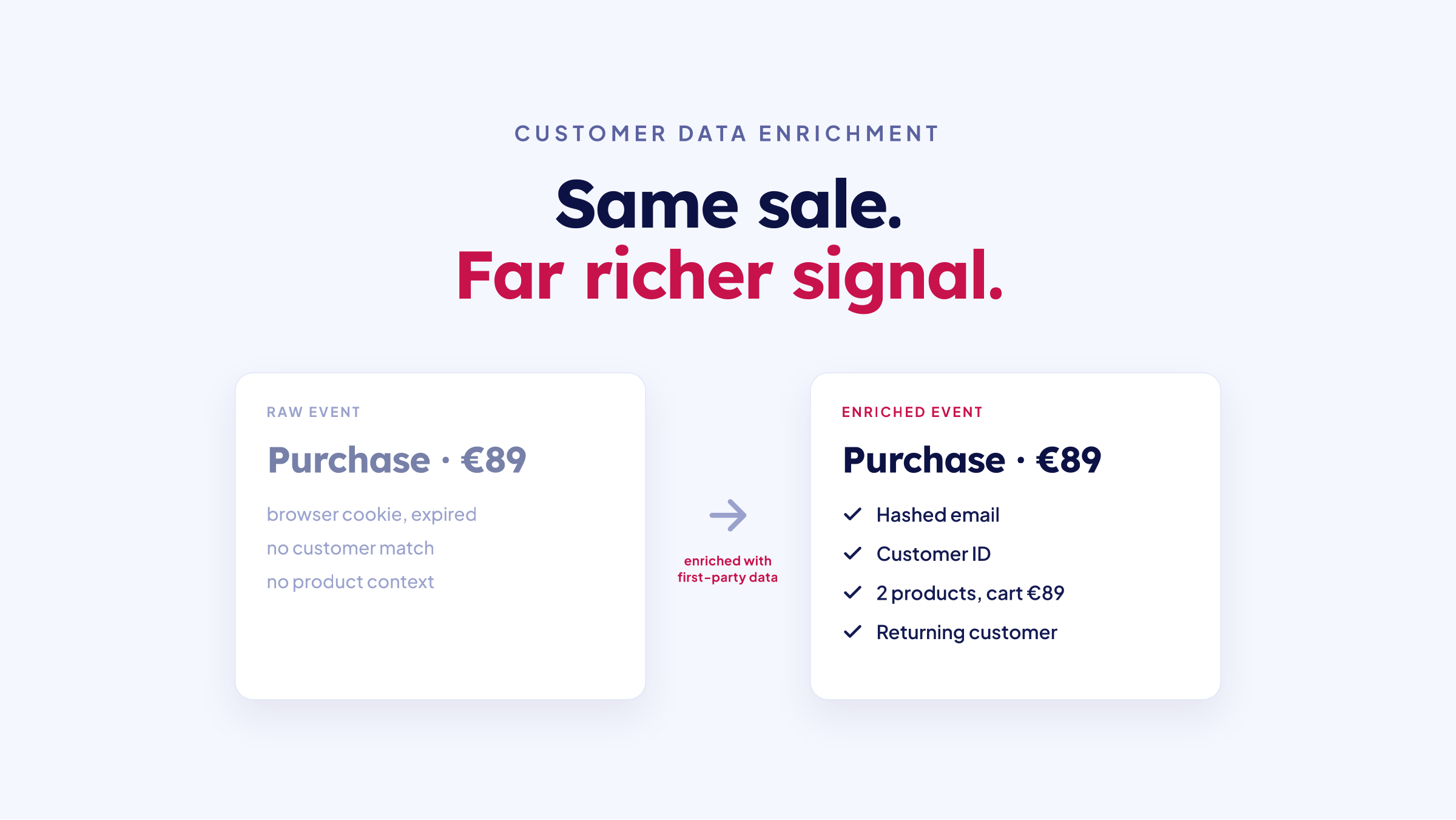
Customer data enrichment: a raw purchase event versus an enriched event with first-party data
Frank de Vos
Frank de Vos
7
min read